AI探索指南

  1. 啊?Nano Banana 家装展示也能搞定?

    啊?Nano Banana 家装展示也能搞定?

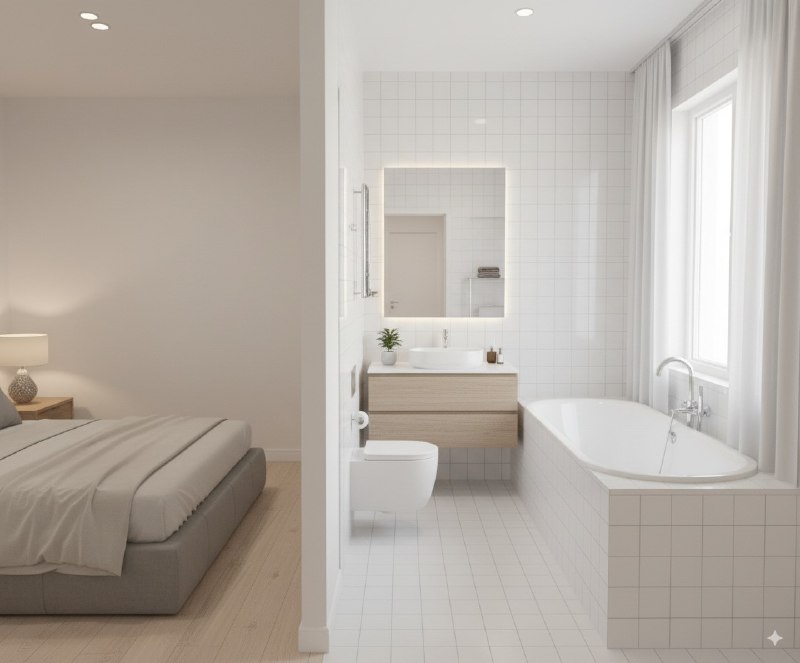
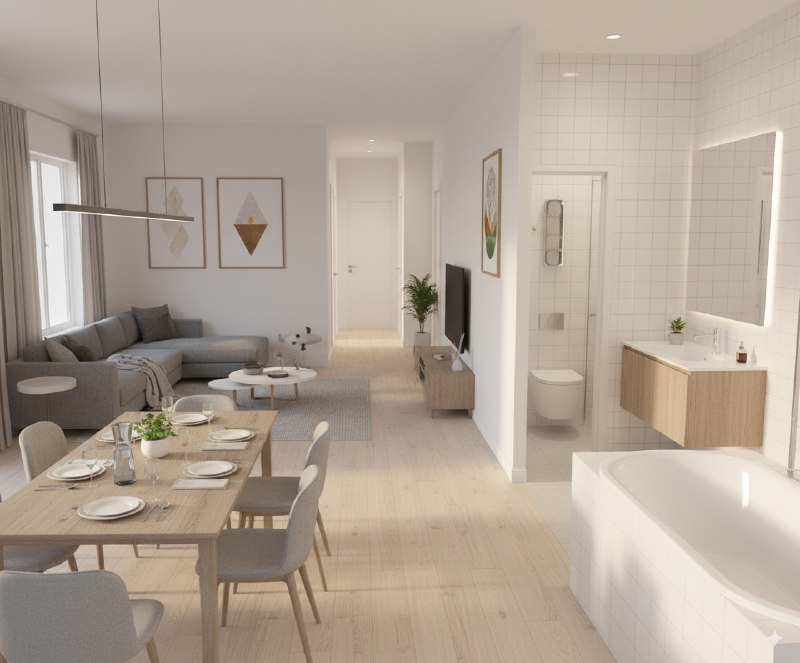
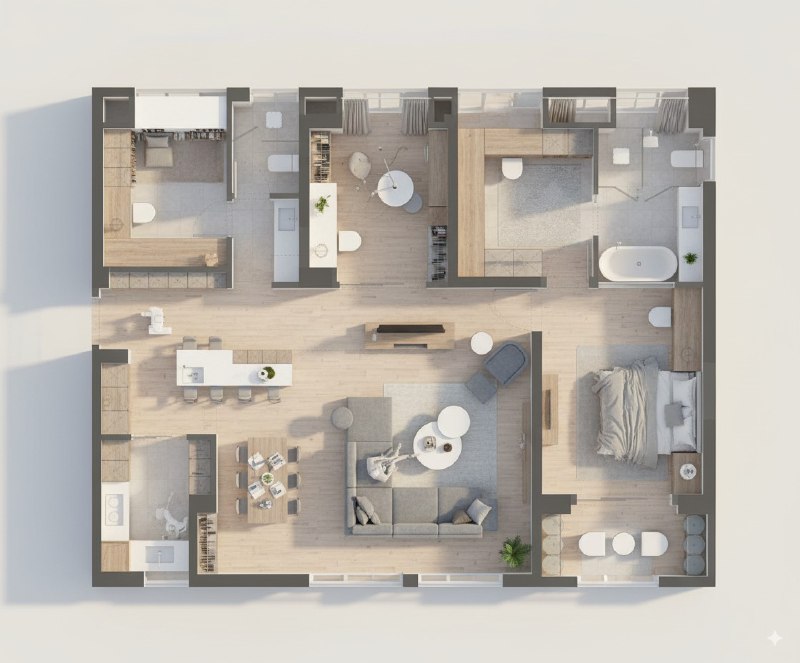
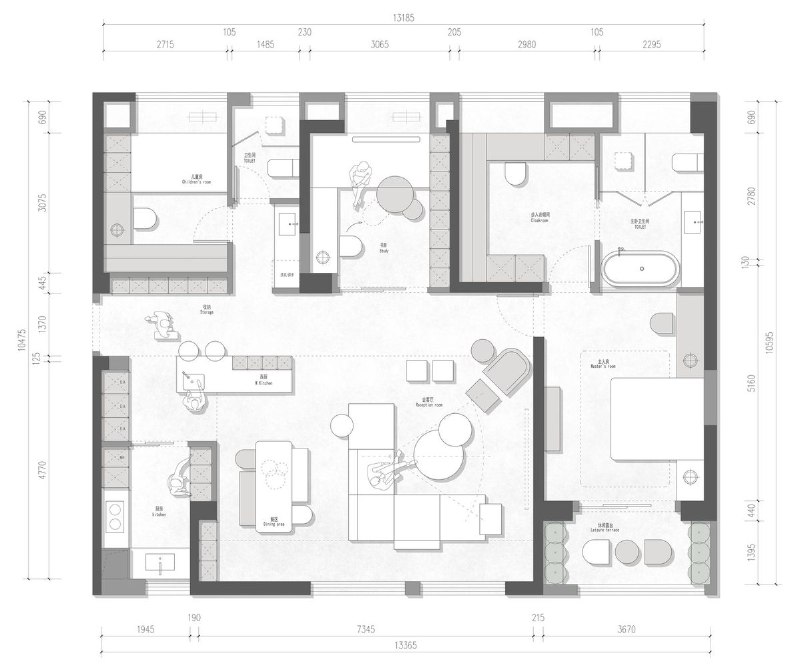
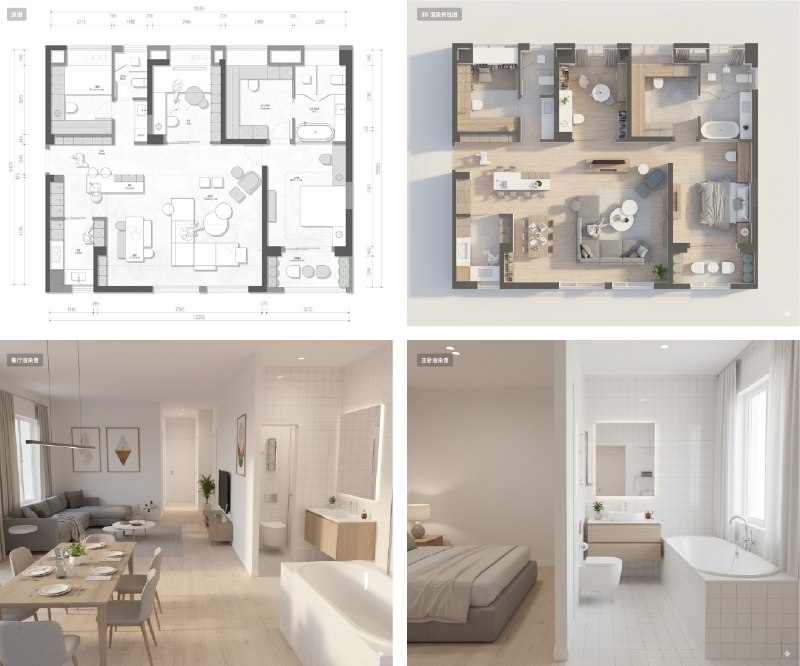
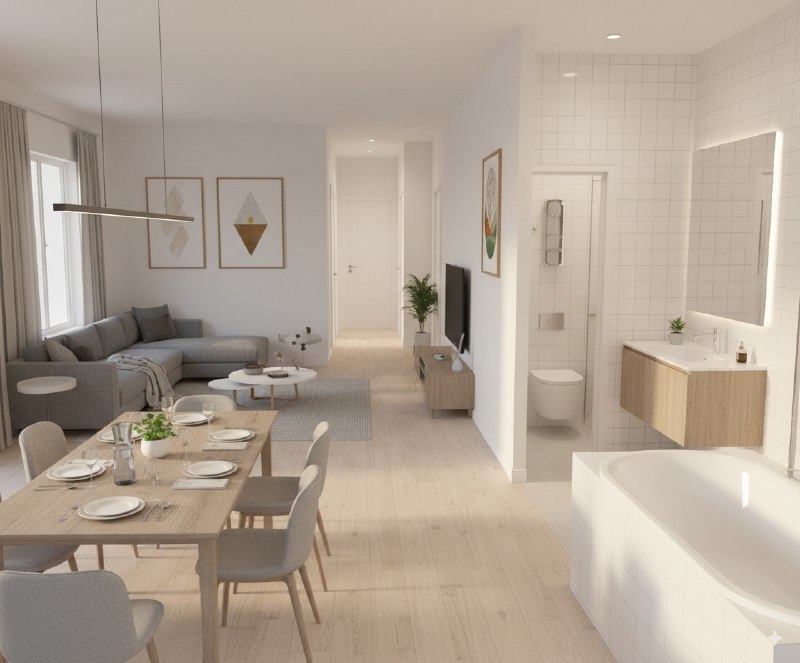
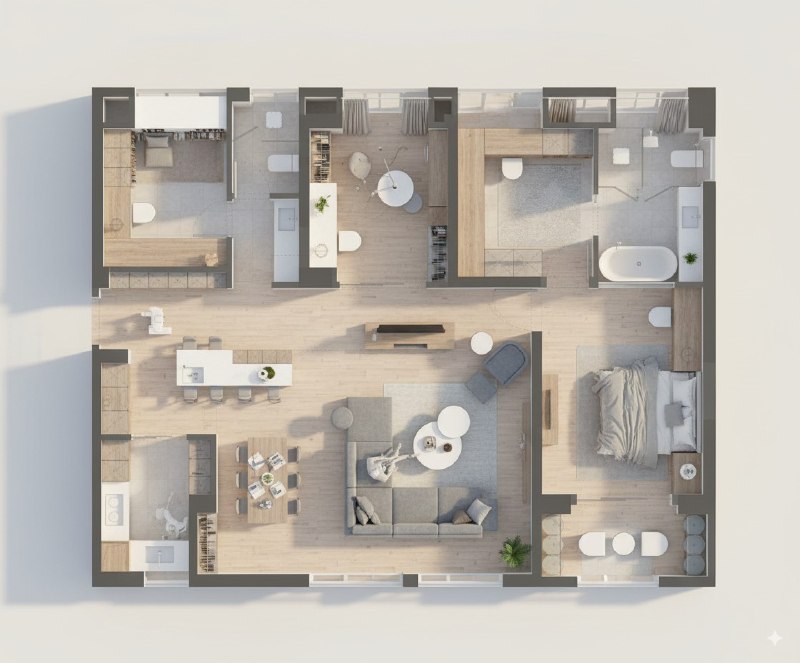
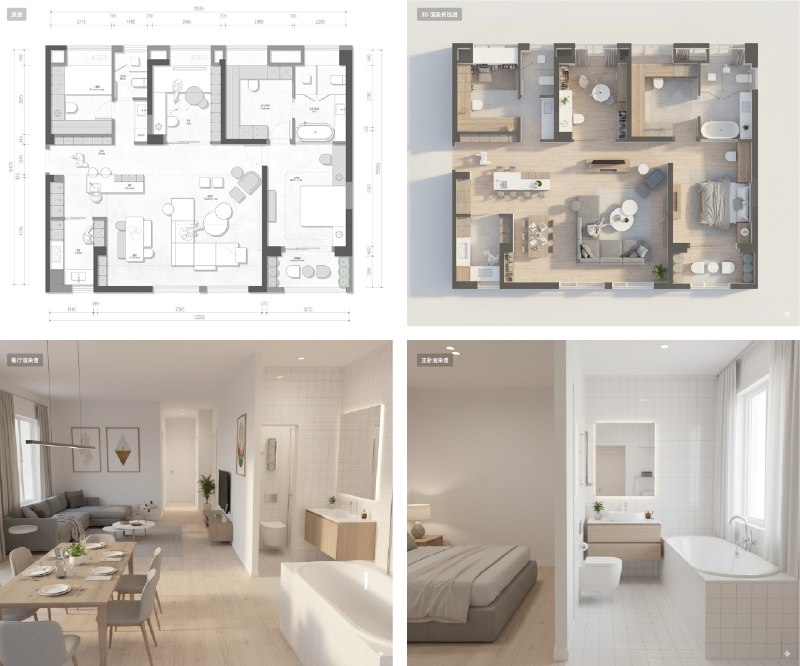
    从平面图生成 3D 渲染建筑俯视图,然后再生成指定视角的渲染图

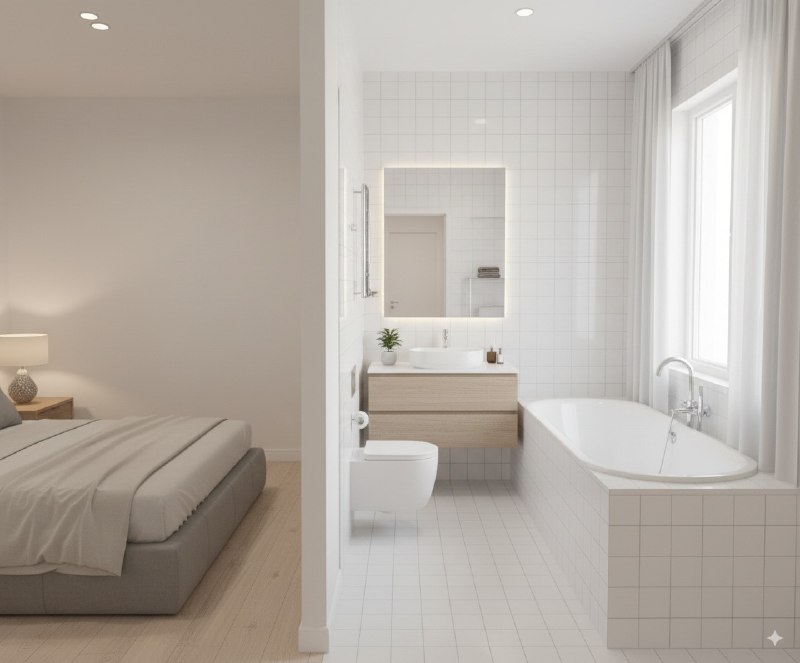
    指定视角的渲染图格局也是大致正确的,餐厅那个有点问题可以抽卡

    提示词1:Help me convert this residential floor plan into an isometric photorealistic 3D rendering of the house.

    提示词 2:Help me generate a realistic photo looking from the dining table towards the bathroom, which must comply with the house layout in the design plan, and appropriate decorations can be added.

  2. 啊?Nano Banana 家装展示也能搞定?#ai创造营##ai画图#

    啊?Nano Banana 家装展示也能搞定?#ai创造营##ai画图#

    从平面图生成 3D 渲染建筑俯视图,然后再生成指定视角的渲染图

    指定视角的渲染图格局也是大致正确的,餐厅那个有点问题可以抽卡

    提示词1:Help me convert this residential floor plan into an isometric photorealistic 3D rendering of the house.

    提示词 2:Help me generate a realistic photo looking from the dining table towards the bathroom, which must comply with the house layout in the design plan, and appropriate decorations can be added.

  3. 整了一个 Nano Banana 新的玩法,很有用!#ai创造营##nanobanana#

    整了一个 Nano Banana 新的玩法,很有用!#ai创造营##nanobanana#

    直接将你手头的食材变成菜谱图片,然后还能生成对应的展示图

    从开始到结束,所有食材图片都能保持一致性,可信度大幅提高

    可以找你家里有的食材拍张图玩玩

    提示词1:

    Turn the ingredients in the picture into a complete step-by-step recipe infographic, using a top-down perspective. Present it in a minimalist style on a white background. Include labeled photos of the ingredients, use dashed lines to connect icons representing the preparation steps, and display a photo of the final plated dish at the bottom of the infographic,At the same time, remove the background from the food items that have a background in the image and place the food on a white background.

    提示词 2:Help me place these ingredients and cooking results on a table to create a very beautiful food presentation image,Remove text

  4. 分享一个最近超火的学习神器,Google推出的Learn About,以下是操作步骤👇

    分享一个最近超火的学习神器,Google推出的Learn About,以下是操作步骤👇

    因为我最近在学习n8n,发现用Learn About从零开始学习真的效率非常高!

    📍工具选择
    Google Learn About 🔗 https://learning.google.com/experiments/learn-about/signup

    📍操作步骤
    1️⃣访问Learn About并提出学习需求
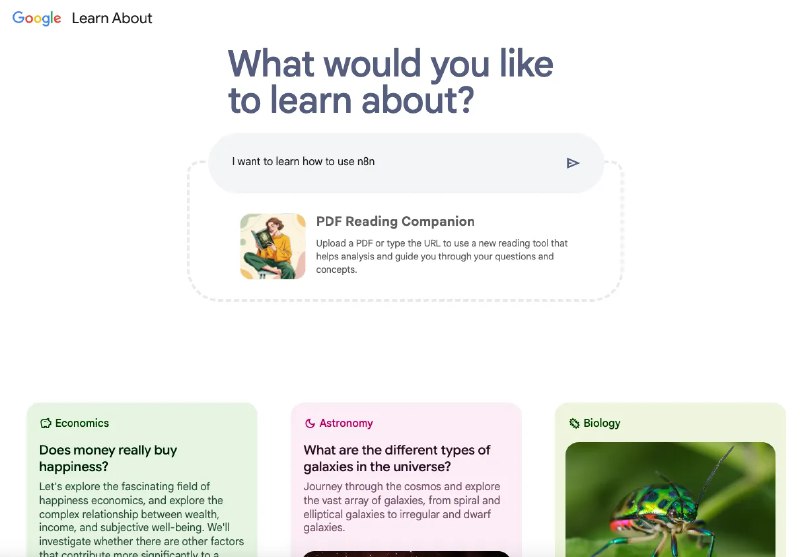
    打开Learn About网站后,在对话框中输入你想学习的内容(比如:"我如何学习使用n8n"),系统会智能识别你的学习需求并开始为你定制学习方案。

    2️⃣获取系统化的学习路径
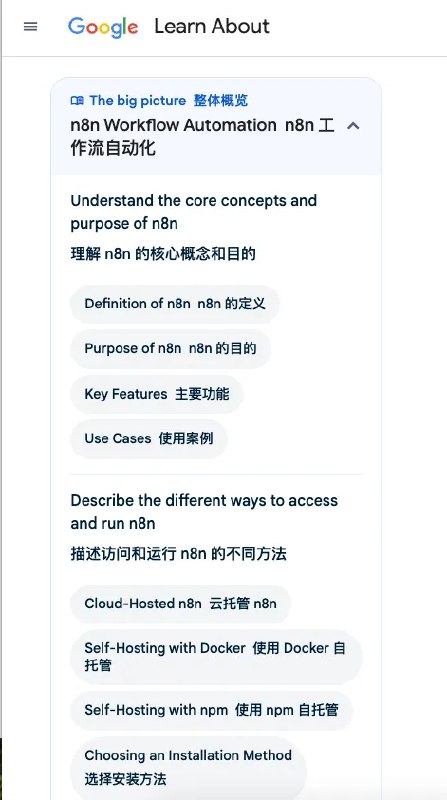
    Learn About会首先解释核心概念,比如什么是n8n。

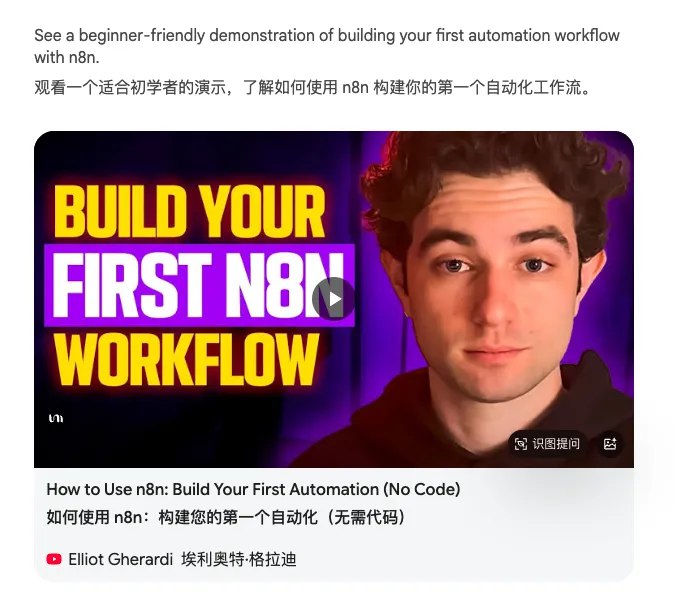
    然后它给我推荐了一个适合初学者的看的视频,告诉我如何使用 n8n 构建你的第一个自动化工作流。

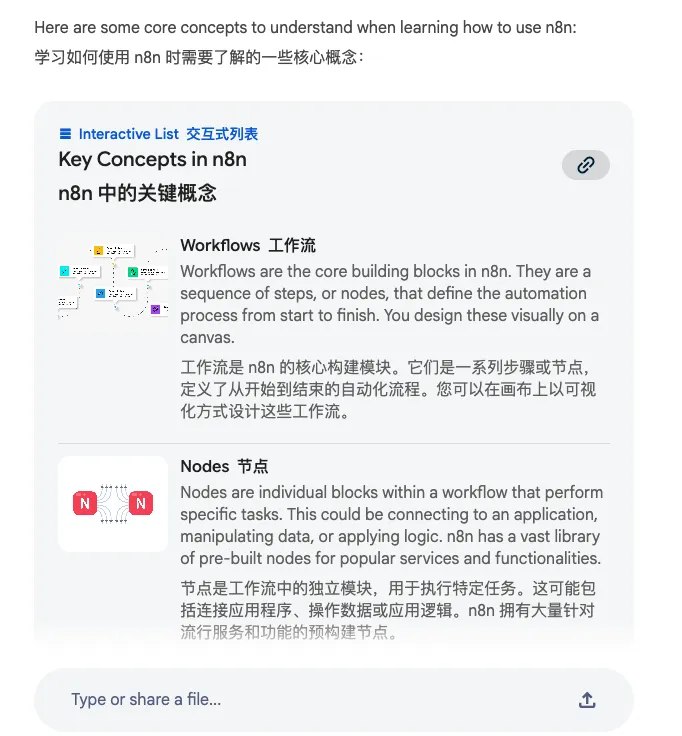
    接着,它列出了学习如何使用 n8n 时需要了解的一些核心概念。

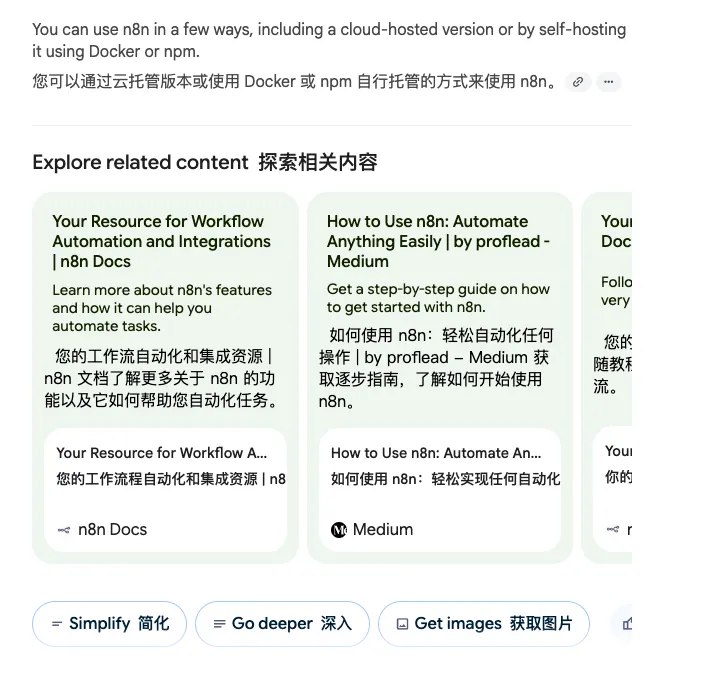
    然后,推荐给我了一些其他相关内容。

    3️⃣利用左侧导航深入学习
    左侧会生成完整的知识图谱,你可以点击任何问题直接深入了解,系统会贴心地指出常见误区 ⚠️,底部还有相关FAQ帮你查漏补缺,确保学习没有盲点。

    4️⃣互动式学习体验
    你可以随时追问任何细节,AI会根据你的理解程度调整讲解方式,每个知识点都配有实际案例,让抽象的概念变得具体易懂。

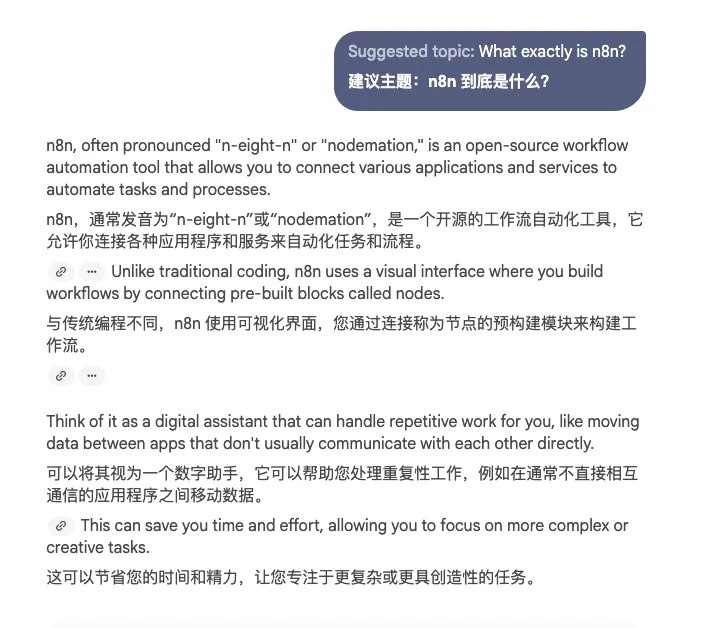
    比如我可以问,n8n到底是什么?
    它首先会给出解答,同时,它也会列出一些常见的误区,下面还会有一些常见的问题。

    这个工具最牛的地方在于,它不是简单的问答,而是给你一个完整的学习路径图,从基础概念到实战应用,还会帮你避开学习误区,完全是自学神器!